Home / Barbeques / Beefmaster Digital Display
  • Beefmaster Digital Display
  • Beefmaster Digital Display
  • Beefmaster Digital Display
  • Beefmaster Digital Display

Beefmaster Digital Display

Quantity
ADD TO CART
BUY IT NOW
  • Detail

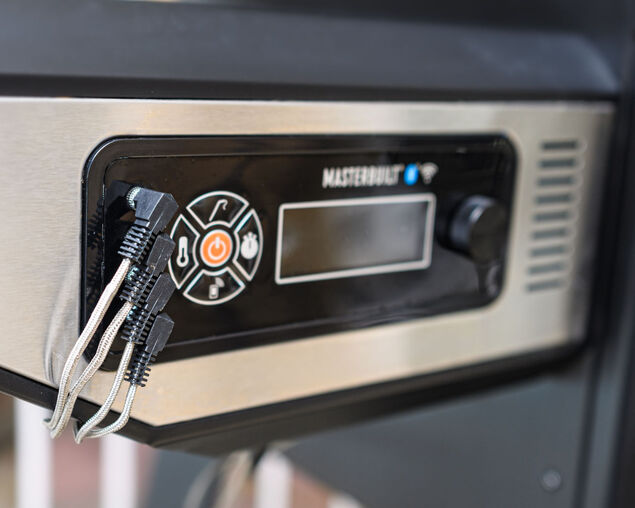
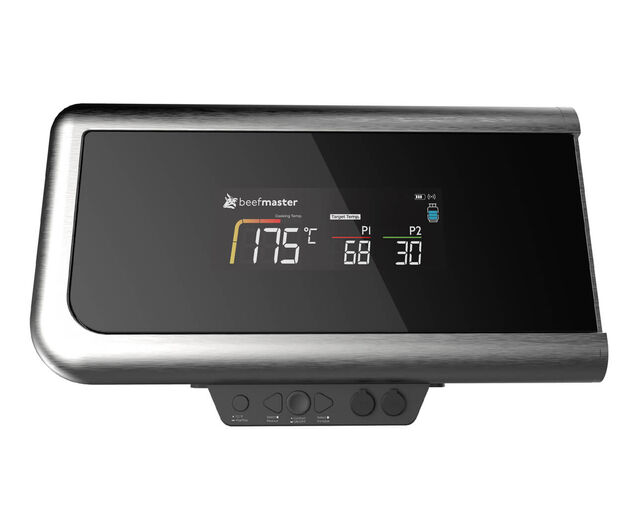
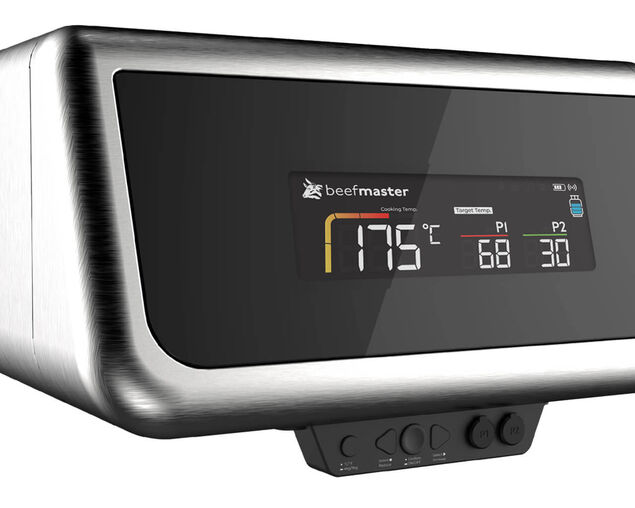
    The Beefmaster Digital Display is an essential accessory for the Beefmaster Deluxe side shelf, designed to eliminate guesswork and elevate your barbecuing experience with precision monitoring and real-time control. RCM certified.

    Smarter Grilling Starts Here

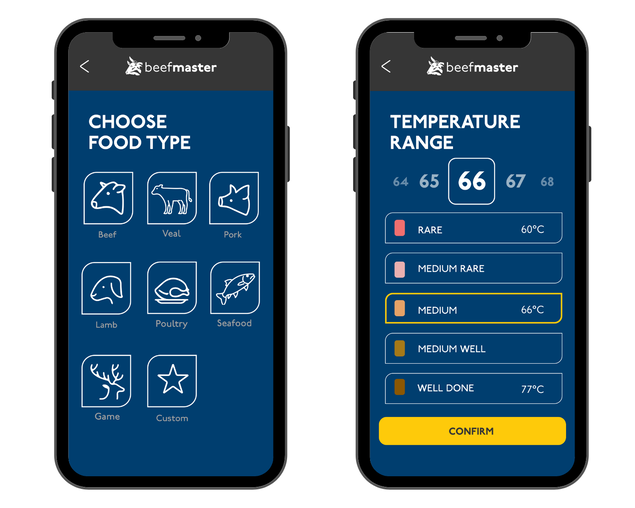
    Take full control of every cook with the Beefmaster Grills App. Designed to work seamlessly with Beefmaster's Digital Display and Ziegler & Brown Gas Gauge, the app lets you monitor heat, track fuel levels and grill with precision from preheat to plating.Cook with confidence. Every time.

    Download the Beefmaster Grills App

    • Google Play
    • App Store


    Key Features:

    • Precision Temperature Control: Provides real-time BBQ temperature monitoring, allowing you to set a preheat target for optimal searing and customise target cooking temperatures to within 1° Degrees.
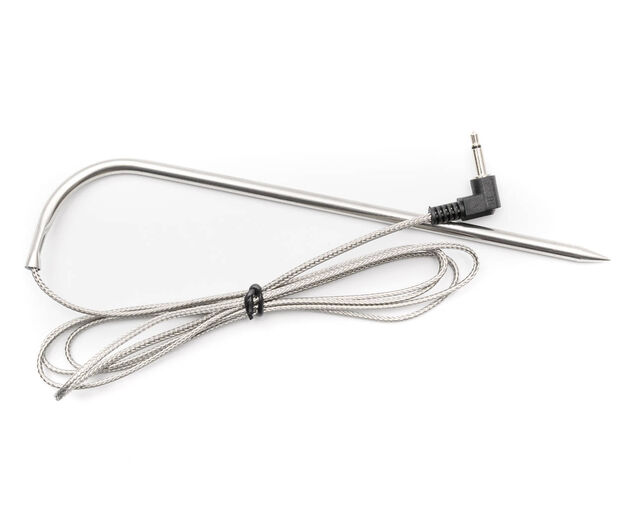
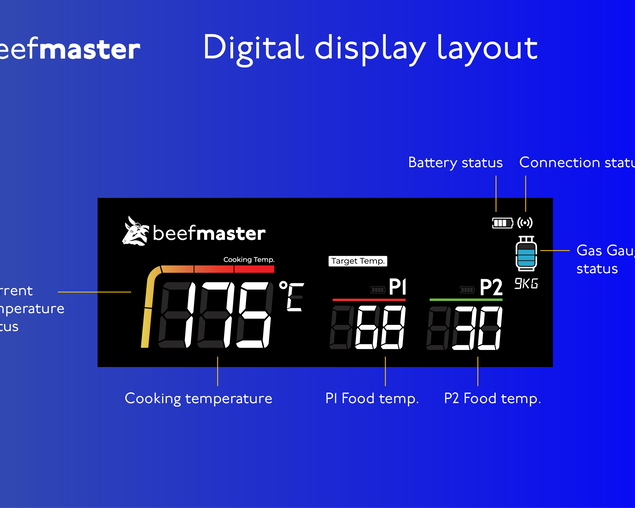
    • Dual Food Probes: Track two foodssimultaneously. See current and target temperatures.
    • Advanced App Functionality: Connect to the Beefmaster Grills app for advanced control. Access preset cooking modes for perfect doneness every time across a range of food types.
    • Customisable Timers and alerts: Set individual timers for each probe or an overall cook timer. Get alerts when your food hits the target temperature.
    • Optional Gas Monitoring: Pair with the optional Ziegler & Brown Ultrasonic Gas Gauge to check gas levels and avoid mid-cook surprises.
    • Versatile Use: Use as a stand-alone controller or connect via the Beefmaster Grill App for full smart functionality.
    FAQ Accordion

    FAQ


    Template for Each Section
    Getting Started
    How do I power on the Beefmaster Digital Display?
    Press and hold the power button for 2C3 seconds.

    The display can be powered by either:
    - 6 AA batteries
    - 12V transformer supplied with the Beefmaster Deluxe BBQ

    If the display doesn't turn on, check:
    - Batteries are new and installed correctly
    - Transformer is fully connected
    - All cables between modules are securely plugged in
    Troubleshooting C Digital Display
    Why does my Digital Display turn off when the BBQ lights turn off?
    This means they share the same power source. Install the transformer adaptor so the lights and display operate independently.
    Why is my display too dim?
    Install the latest firmware via the Beefmaster Grills App.
    In settings, change backlight from Auto to Always On.
    Why isn't my cooking temperature probe reading?
    Check that:
    - Probe is fully plugged into the Cooking Temp port
    - Probe clip is attached correctly
    - Cable isn't pinched or damaged
    Why does the food probe temperature seem too high?
    Digital probes measure heat more accurately and may differ from hood thermometers.
    Check °C/°F setting.
    Note: On Beefmaster Deluxe, halogen light may increase reading due to proximity.
    Can I use the app without probes?
    Yes you can check device status or gas level. Temperature appears only with probes connected.
    Why is my device turning off by itself?
    On batteries, if no ambient cooking probe is connected, the display turns off after 1 minute.
    Pairing & Connectivity
    How do I pair the Digital Display with the app?
    1. Download Beefmaster Grills App
    2. Turn on Bluetooth
    3. Power on Digital Display
    4. Open app Add Device
    Why can't my phone find the device?
    - Ensure Bluetooth is ON
    - Stay within 1 metre
    - Restart app and device
    Gas Gauge (Ultrasonic Gas Gauge)
    How does the gas gauge work?
    It uses ultrasonic waves to measure how much liquid gas is inside the cylinder.
    It works with metal 4 kg and 9 kg bottles (not aluminium, composite, or stainless-steel).
    The return time of the pulse determines the gas level inside the cylinder.
    Why can't I pair the gas gauge with the app?
    - Ensure you are within 1m of the gas gauge
    - Hold the power button 3 seconds C A red LED will illuminate for 3seconds
    - Go to Gas Cylinder > Add Device and follow the prompts
    - Recharge the gauge if no light appears
    My gas sensor isn't getting a reading what should I do?
    1. Confirm the Cylinder Type C the device will only work on metal 4 kg or 9 kg.
    2. Sensor Placement & Contact C The gauge uses an ultrasonic signal that travels straight upward into the cylinder. Ensure the position of the gauge is in the centre of the gas cylinder and that the contact surface is free of any dust, dirt and rust. If needed apply as small amount of Vaseline on the ultrasonic sensor to aid contact.
    3. Battery and Power status C Ensure the device is properly changed via the USB-C port. Flashing light = chargingSolid light = fully charged No light battery is flat recharge
    4. App Pairing C ensure correct cylinder size is selected, tap the update button. Delete the device in the settings page and try repairing.
    5. Environment C sometime the environment in which the cylinder is placed can create interference. Remove the cylinder from the enclosed cabinet and try connecting to the gauge
    My gas level reading seems inaccurate
    - Ensure you have selected the correct cylinder size (4 kg or 9 kg) in the app.If the wrong bottle is selected the algorithm will calculate an inaccurate reading.
    - Ensure the device has the latest firmware
    - Follow the process to pair the device and check the readings.
    - If the problem persists delete the device in the settings page of the gas gauge. (this is on the upper right-hand side with the gear icon on the gas gauge page)
    App & Notifications
    I'm not receiving alerts or timers
    - Ensure app notifications are enabled
    - Keep Bluetooth on and app running
    - Reconnect the device
    - Reinstall the app if still failing
    My app isn't updating firmware
    - Enable notifications
    - Keep Bluetooth on and app running
    - Reconnect the device
    - Reinstall the app or contact support
    More Specifications
    Battery and Modules
    Thermometer module: LCD Display Screen
    Wireless connectivity; Bluetooth 5.1
    Battery (6xAA) or 12v Transformer powered
    NTC sensor probes
    Range and Accuracy
    Range up to 40 meters (unobstructed)
    Probe accuracy range (1°C)
    Temperature
    Ambient Cooking Temperature range 0°C - 500°C
    Food Temperature range 0°C - 250°C

      Specifications

      Key Specs
      Warranty
      2 Year Warranty
      Warranty
      Warranty
      2 Year Warranty
    • Customer Reviews
      No comments